Lists - Scenarios

When I see a list of scenarios, in some cases it seems to list it based on creation date I think. Like in this case where i wish to edit the groups, i see the list of scenarios: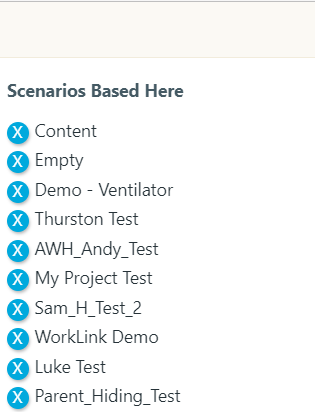
It would best to list them based on the name alphabetically.
David
-
Hello Precious,
Unfortunately, I am using the EDIT GROUPS function so that I can move scenario projects to an archive group and that function is not currently available in the BETA CMS. So, using the current CMS and clicking EDIT GROUP, the list of scenarios is not in any order:
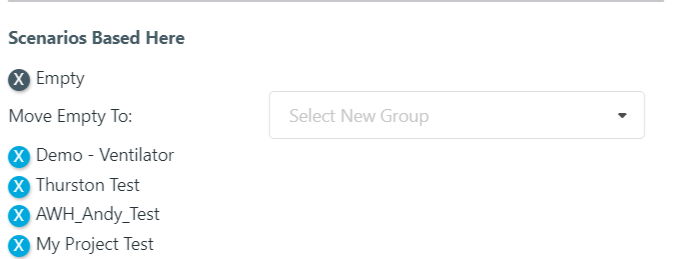
So, I would like the ability to move scenario projects to an archive group with the help of a sorted list.
0 -
Thank you for your response, David.
I see what you are saying. It is possible to move a scenario from one group to another on the Beta CMS but there is no option to move these scenarios in bulk (or carry out the 'multiple edit' action on the same screen like the current CMS). I have submitted your feature request to the responsible team.
For reference, at the moment, this is what you can do on Beta: https://www.loom.com/share/2791ed58cecf4e6c9880dac819ed0637
I will let you know as soon as there is an update from the team.
Thank you for your patience.
0 -
Hello again, David.
I heard back from our Product team and there is in fact a way to get this done within the Beta CMS.
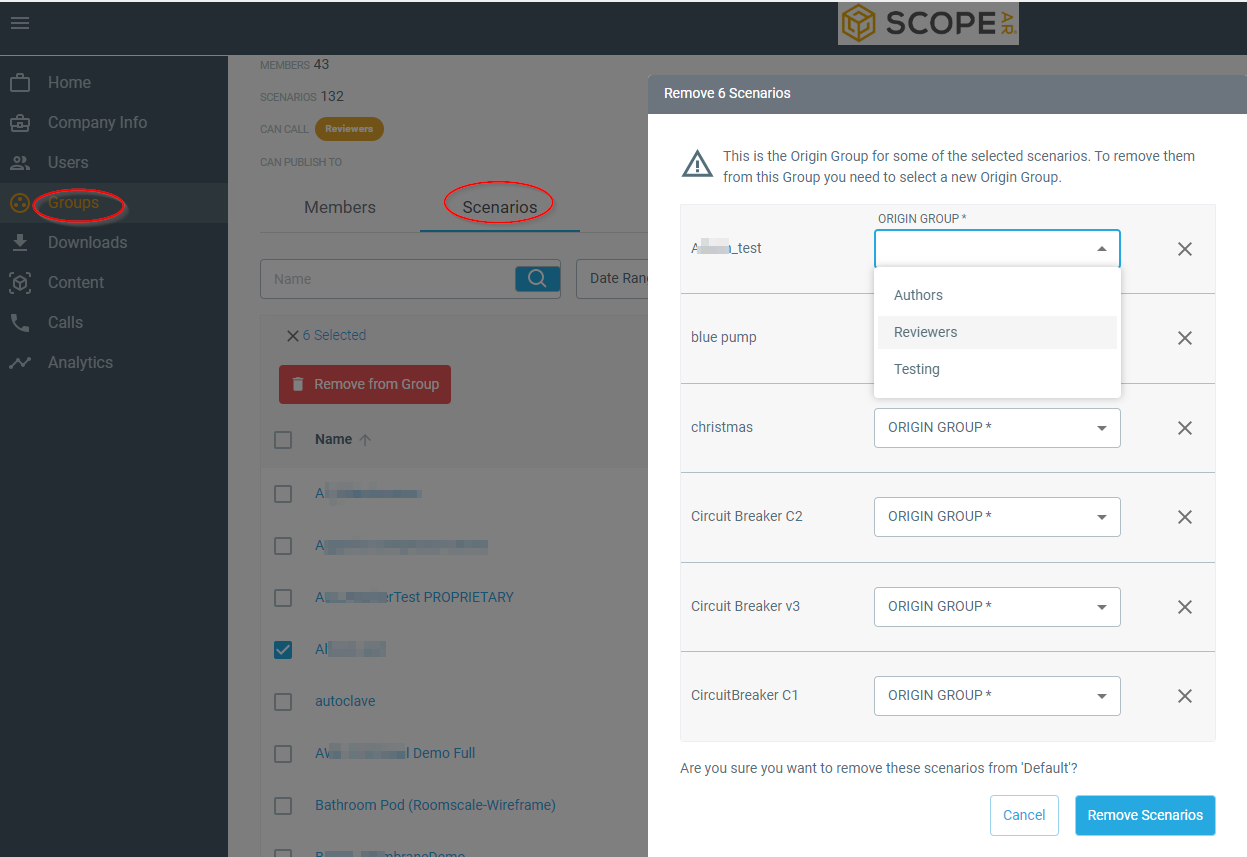
Please go to the "Groups" page and click on "Scenarios", then filter out the scenarios you wish to move, select "Remove from Group", the pop-up modal will ask you to choose new groups for each scenario. There is no way to select the same group for all at once but it is something we are considering for the future. Happy to answer any questions you have. Thank you
 0
0 -
Thanks for the update. The "Remove" was misleading because I interpret it as a "DELETE" function instead of a "MOVE" function. That might be something to consider is to relabel that as "MOVE". I think that was the same misunderstanding in the old CMS.
0 -
Thank you for the feedback, David.
@... Kindly see David's feedback above for our review/consideration.
Thank you
0 -
 Permanently deleted user
Thanks for your feedback! Hopefully I can explain because this in particular is a shift; thus, understandably unintuitive.
It is labeled "Remove" because there are other cases where scenarios are not moved to another group. The key difference here in the new CMS is that this Group Details page lists ALL the scenarios that can be viewed by all users who are members of the group in question versus the current CMS only lists scenarios that are based in the group (i.e. Origin Group). The screenshot of the removal prompt modal shared above shows what happens when scenarios that are based in the group are removed which requires selecting another group to be based in, but for all other scenarios not based in the group, they are simply just removed so that they are no longer viewable to group members.
With that said, we will be reviewing this in pursuit of making the CMS easier to use!
0

Please sign in to leave a comment.
Comments
7 comments