Create Authoring: Keyboard Scene Navigation

When beginning to learn a new software, navigation is often the first lesson learned. The ability for a user to naturally navigate a scene while working could mean the difference between efficient authoring and daily frustration.
Today we will go over the basic navigation that every author should know when beginning to use Create. We will also view a more advanced camera flythrough navigation to move through a scene more organically. We will then conclude with some buttons and hotkeys to help if you become lost in the 3D Space.
Pan - You can Pan your camera by holding down the middle-mouse button and moving your mouse.
Zoom - You can Zoom your camera by either scrolling the mouse wheel or by holding ALT+RMB (Right Mouse Button) and moving your mouse forward and backward.
Orbit - You can Orbit your camera by holding ALT+LMB (Left Mouse Button)
Look - You can Look with your camera by holding RMB (Right Mouse Button) and moving your mouse.
Camera Flythrough - You can use your camera to fly through the scene.
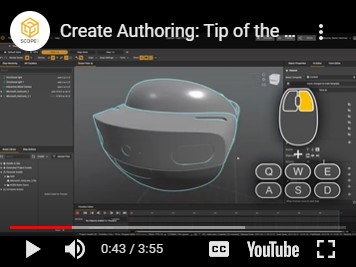
While holding down RMB (Right Mouse Button) to Look, use W/A/S/D to move Forward/Left/Back/Right and use E/Q to move Up/Down respectively.
Even the most experienced Authors will get lost in 3D space sometimes. With all of the panning, orbiting, and zooming in and out, you’re bound to find yourself far away from where you need to be. Below are some quick tips to get your focus back where it’s needed quickly.
Home - The Home Icon and Home key on your keyboard will bring you back to your starting position when you open Create.
Focus Object - You can focus your view quickly to any selected object by either selecting that object in the scene view or hierarchy and hitting the “F” key, clicking the crosshair button, or by double-clicking that part in the hierarchy.
Hotkey Reassignment - If you’d like to take a look at these and other hotkeys you can navigate to the following window in Create:
Edit > Preferences > Keyboard Shortcuts
-

I didn't value the "F" key at first, but now I use it all the time to quickly look at objects.
1 -

The "F" is essential for my work flow when navigating.
Not only does it move your view to the selected object, it also changes how the Pan, Zoom and Orbit controls behave. For Pan and Zoom the amount of change when performing either task will be increased or decreased depending on the largest dimension of the object your focusing on. For Orbiting your view the anchor/pivot in which the view rotates around gets moved to the current focused object.
1 -

Thanks, for the tip on how it affects Pan, Zoom and Orbit. Very helpful.
0
Please sign in to leave a comment.
Comments
3 comments