Introducing Audit Logs

Permanently deleted user

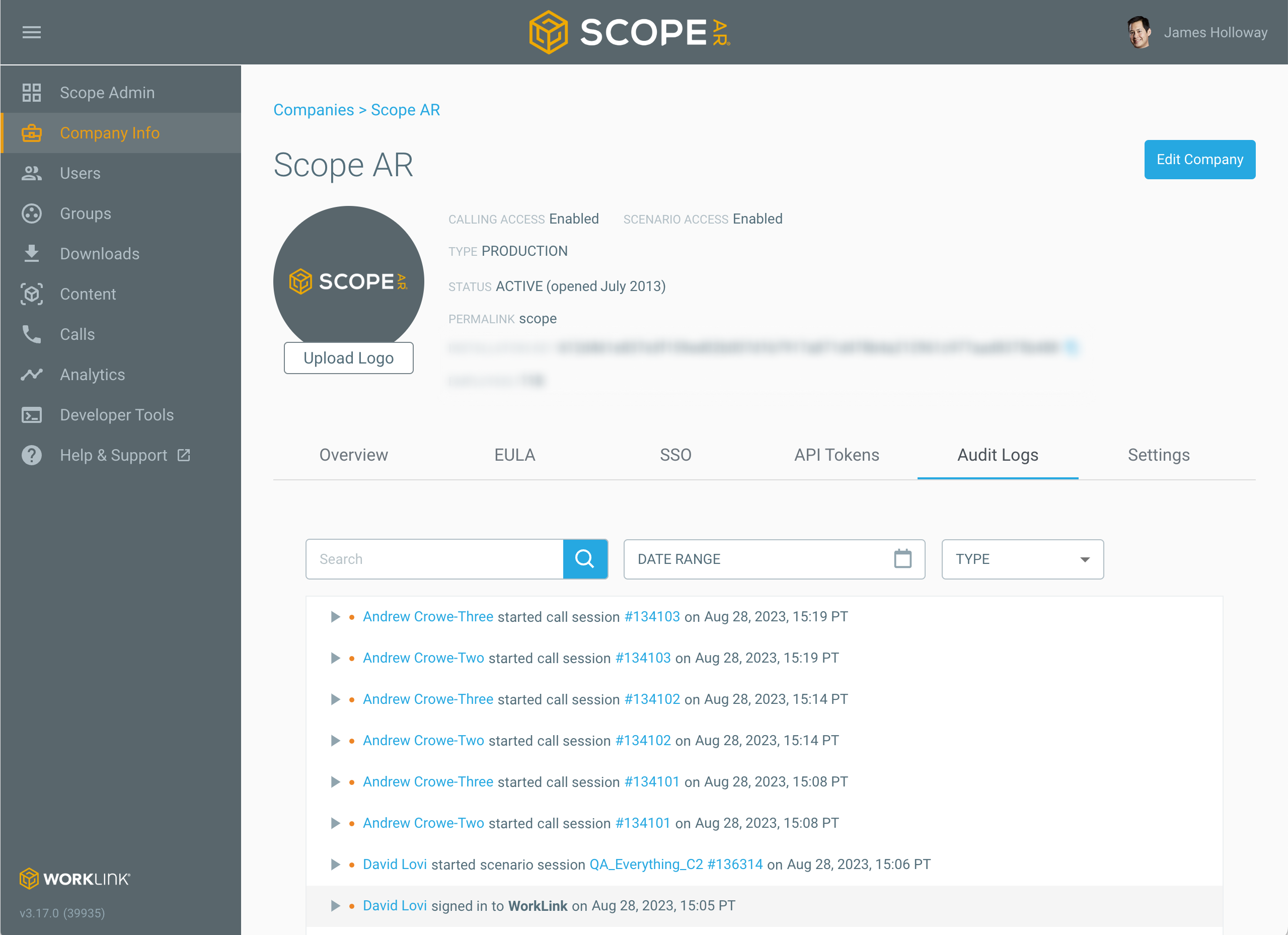
Earlier this week we released CMS 3.17.0 which features Audit Logs which allows admins to review changes made by any user across the platform such as creating a new group, deleting sessions, etc. and data access from users such as logging in, starting calls, and loading scenarios. Knowing the details of those changes such as what changed exactly, who made the change, and when should be useful during troubleshooting and monitoring for any vulnerabilities or data misuse.
You can access Audit Logs three different ways:
-
As an administrator, click on Company Info in the side-nav and then click on the tab labeled Audit Logs to view all the events that have occurred since we updated the CMS to 3.17.0.
- As an administrator, you can also create Webhooks to trigger custom actions that import data to your organization’s system of record.
- Last, but not least, you can directly query our API to get a list of audit logs.
Check it out now and let us know what you think!
Key functionality coming soon include:
- More Data Access events: Expert invites a guest to join a Remote Assist call, Guest account expires, user signs out in the WorkLink app, on-prem license management, and more.
- System Events: when internal WorkLink services modify data such as processing recordings uploaded after Remote Assist calls.
- Policy Denied Events: when the CMS denies access to a user or service because of a security policy violation.
0
Please sign in to leave a comment.
Comments
0 comments