Create Authoring: Standalone vs Device Mode

Create is capable of authoring a single project that can be viewable with or without the subject matter in front of you through the use of 2 "Render Modes". These modes are called “Standalone” and “Device”. You can switch the view of the project using the “Render Modes” toggle in the toolbar.
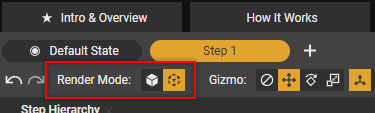
Standalone mode showcases the maximum amount of contextual object's for your subject matter in your project allowing the work instructions to be viewed in any location.
Device mode simplifies the amount visible to the most important parts of your work instruction while overlaying the visuals onto the real world version of the subject matter.
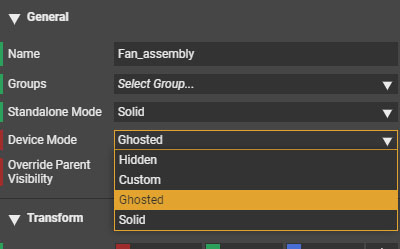
An author can customize every object's visibility settings for both modes in the general section of the “Object Properties Window”. These settings can be set in default state and on any given step allowing a unique set of visualization per mode.
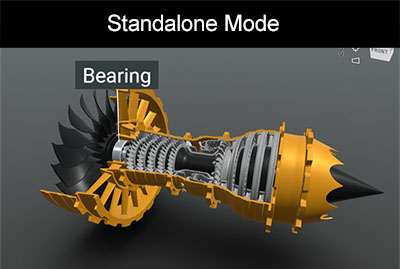
In the example below of the turbofan we show the location of a bearing. In standalone mode you see the whole assembly for context.
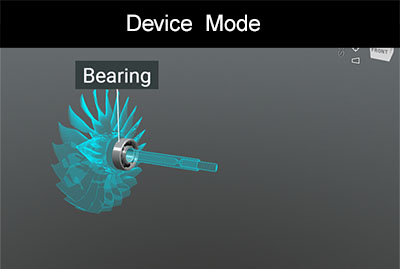
In device mode just the fan and its shaft show as context with the bearing fully visible. When device mode is used on the actual turbo fan the fan parts will light up and the bearing will stand out from the real world object.
Continue making powerful work instructions by using both of these render modes in Create!
-

Thanks Jared! Great article, added it as a link to our documentation as well.
0
Please sign in to leave a comment.
Comments
1 comment