Create Authoring: Link Product Web Pages

So we all know about how powerful web links can be at connecting information stored all across the web. Whether you’re sharing a recipe or finding that important work file buried somewhere in your company's Sharepoint, links help organize the things most important to you. For example have you ever needed to re-order something quickly but ended up spending way too much time hunting down a link?
As a quick Create tip this week I wanted to talk about using links right in your scene to simplify this parts ordering experience! So in Create the process is super straightforward. Simply select the object you want to link and scroll down to the Actions section and click Add Action.
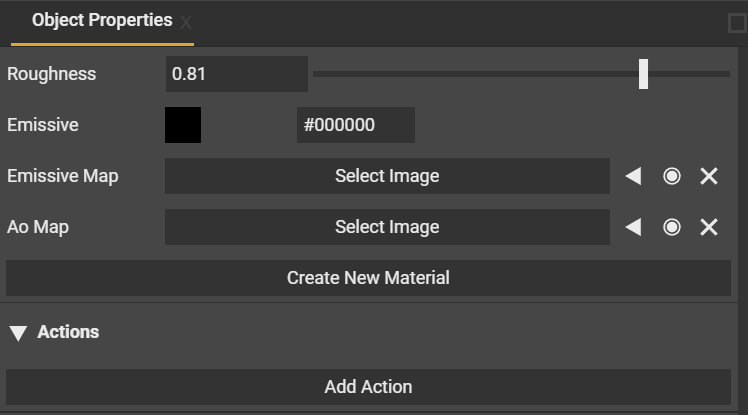
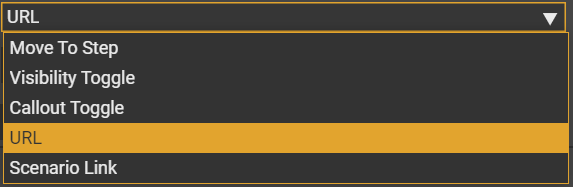
From the drop down select URL and copy/paste the webpage you want to direct the user’s attention to.
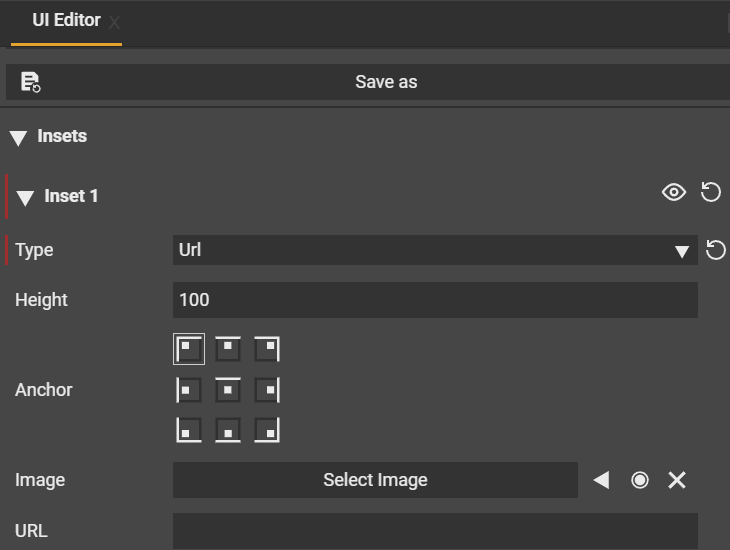
Now just like that you have made a re-ordering link that will never go missing and will last the life of the project. Alternatively you could also add an image to your User Interface that serves the same function if you have multiple items to link that may be out of view of the user’s current environment.
Hope you enjoy your new organized links and we can’t wait to see the projects you build with them! For additional details on Links be sure to follow our community forums
Please sign in to leave a comment.
Comments
0 comments