Create Authoring: Quick Alignment Using Parenting

Having the ability to quickly align objects in Create can be very handy when needing to position and animate tools. While the toolbar alignment is an option, this method we'll be talking about can help set you up for an easier time animating. Whether it's aligning a screwdriver to a screw or the needle of a gauge to a parts surface, learning to parent objects for efficient alignment is always a must.
While every root level object has it's own position in world space, every child object's position is dependent on it's parent. Whether it's bolts in a metal plate or a handle on a cabinet door, you'll notice that child objects position may vary drastically from their parent's world position. This disconnect in position is due to the parent-child relationship, where as the parent is getting it's XYZ coordinates from the world space, the child object is getting it's XYZ coordinates in relation to the parent object. In other words, if you were to make the position of the child 0,0,0 you would see the child move the the pivot of the parent.
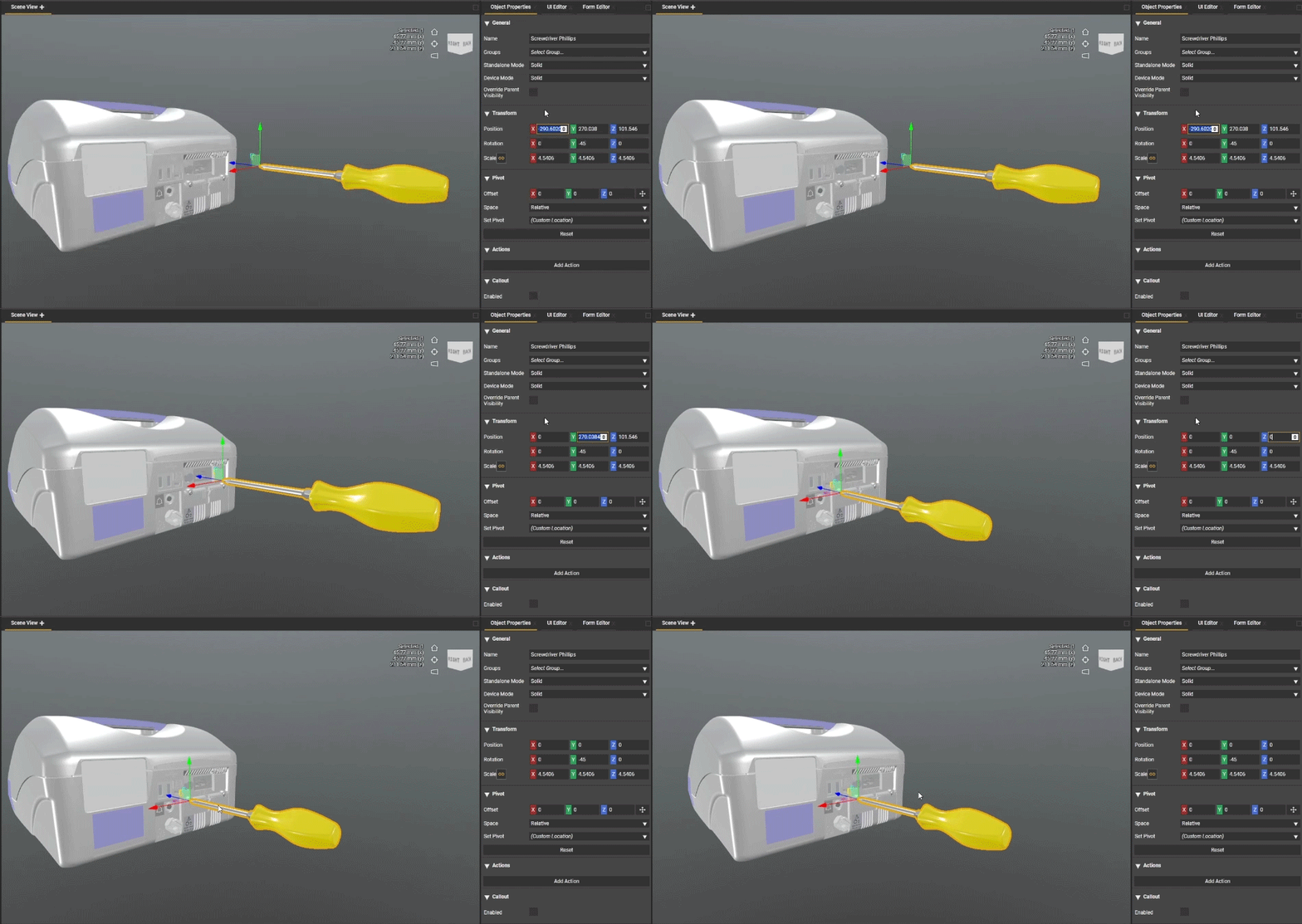
Knowing this, we can take a new tool such as a screwdriver and quickly make it a child object of the screw we need to remove. Once a child of the screw, we can make the position of the XYZ of the screwdriver 0,0,0 to align it perfectly with the center pivot point of that screw. We can also take advantage of the new parent by animating just the screw being removed which will also drive the animation for the child screwdriver.
Always keep in mind that you can unparent your object at any time once got the alignment you need. This can be handy for getting newly created empty objects into position to become a new pivot point for your step. With the versatility provided within Create, you have the freedom to adjust your hierarchy as you need.
Please sign in to leave a comment.
Comments
0 comments