Introducing WorkLink Create 2.37

Hi everyone!
I wanted to call out 2 relatively hidden, but potentially impactful new features in 2.37.0.
1. Major improvement to optimization of imported 3D files.
We made major improvements that result in significant file size reduction and framerate performance of newly imported objects. Meaning, you might notice performance gains using newly imported assets in your projects moving forward, or even asset swapping newly imported versions of older assets, to improve the performance of older projects.
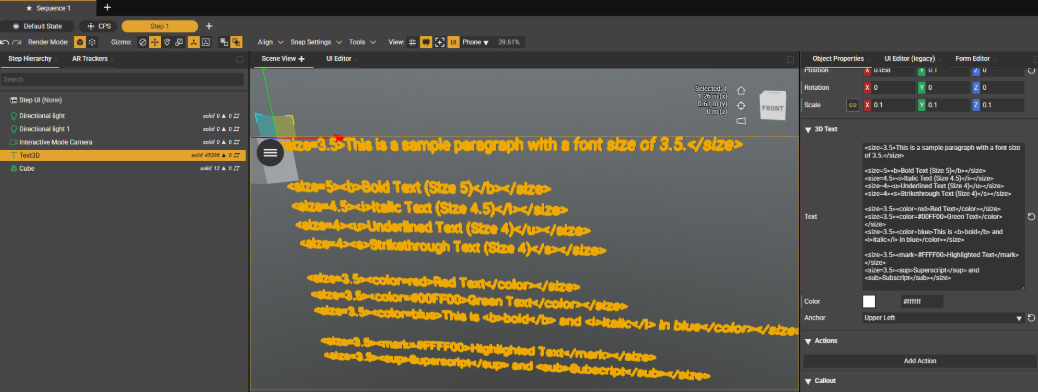
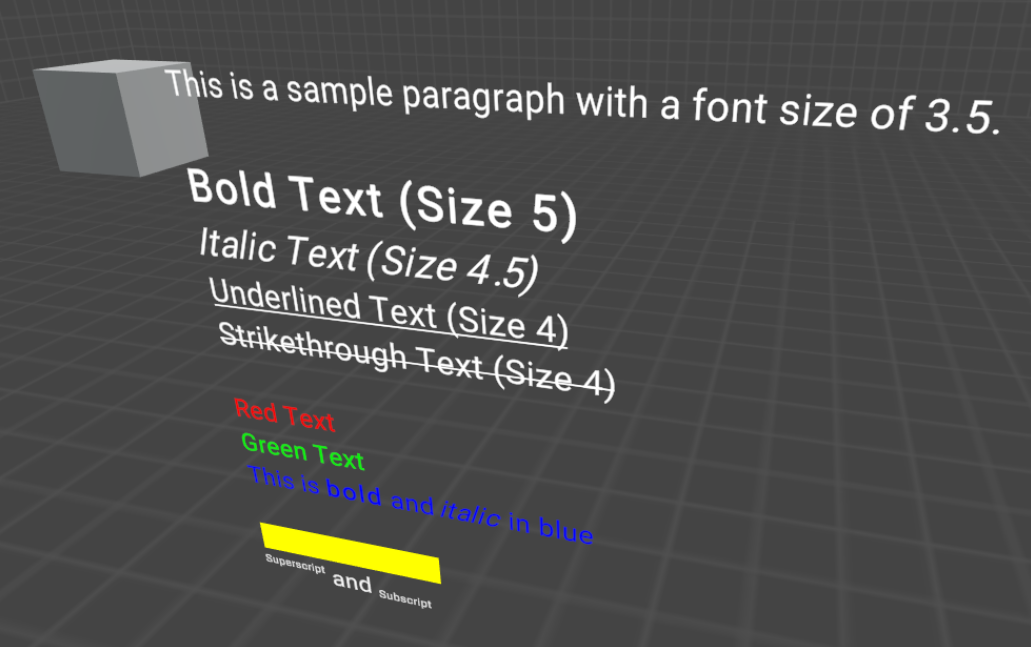
2. Added ability to use rich text formatting for Unity TextMeshPro in 3Dtext.
This is a first step towards making complex formatted UI in 3D space.
- Tip: use chat GPT to easily create rich text suitable for TextMeshPro, default to a paragraph font size of 3.5.
- Create does not simulate rich text yet, this is an early access feature
- If you don't define a font size, a font size of 3.5 is used on the app side. In other words, if you want fonts to keep the same size as you see in Create, use 3.5 as a font size, or calculate accordingly. Keep this in mind in case you want to use variable font size in the rich text formatting. Eg. using a font size of 7, will display text twice the size it is in Create.
- Code snippet example
<size=3.5>This is a sample paragraph with a font size of 3.5.</size>

<size=5><b>Bold Text (Size 5)</b></size>
<size=4.5><i>Italic Text (Size 4.5)</i></size>
<size=4><u>Underlined Text (Size 4)</u></size>
<size=4><s>Strikethrough Text (Size 4)</s></size>

<size=3.5><color=red>Red Text</color></size>
<size=3.5><color=#00FF00>Green Text</color></size>
<size=3.5><color=blue>This is <b>bold</b> and <i>italic</i> in blue</color></size>

<size=3.5><mark=#FFFF00>Highlighted Text</mark></size>
<size=3.5><sup>Superscript</sup> and <sub>Subscript</sub></size> - Create
- App
- Code snippet example
0
Please sign in to leave a comment.
Comments
0 comments